
Missed appointments cost coaching businesses time, energy, and momentum. Appointment reminders automation helps coaches reduce no-shows, keep clients prepared, and make the scheduling process feel more professional. This guide explains how to automate appointment reminders for a coaching business using simple tools, clear timing, and client-friendly messages.
Whether you offer life coaching, business coaching, health coaching, career coaching, or group sessions, the goal is the same: remind clients at the right time without sending every message by hand.
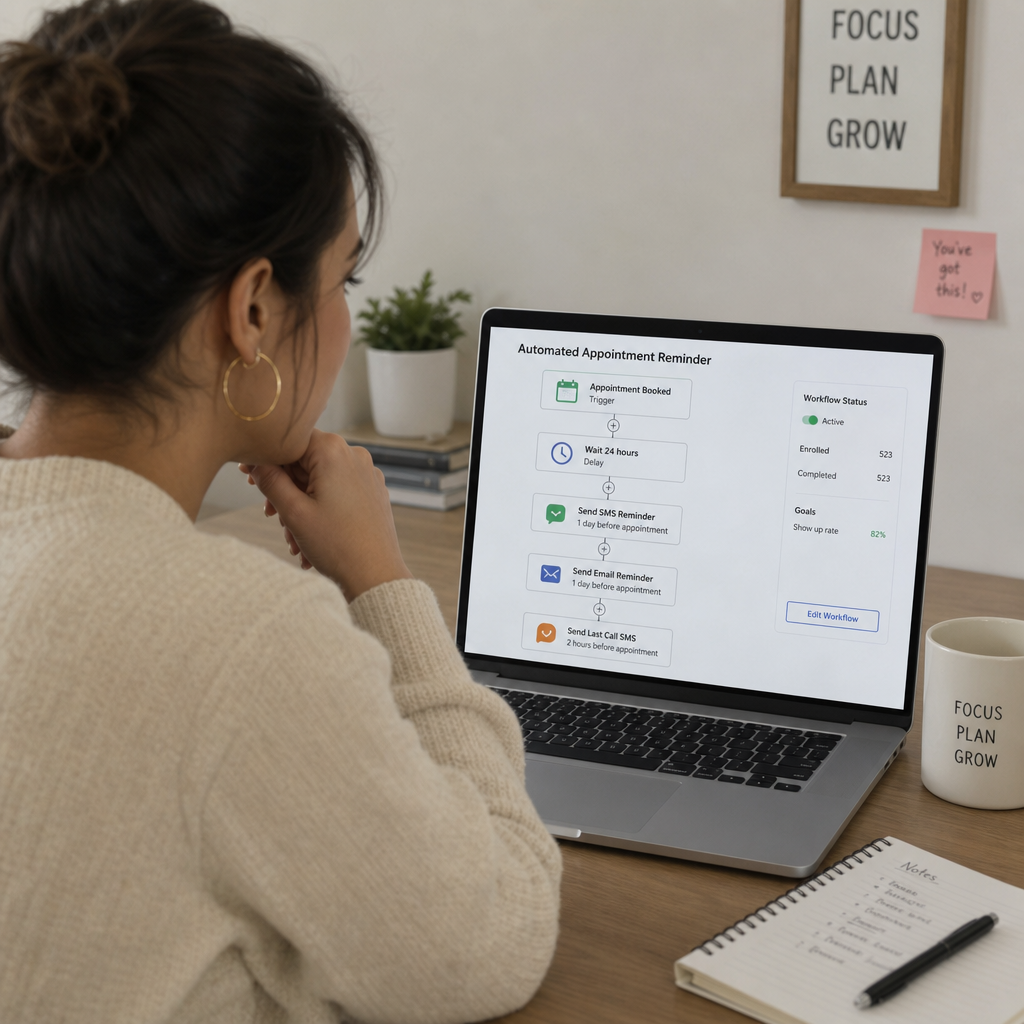
Why should a coaching business automate appointment reminders?
A coaching business should automate appointment reminders because reminders protect both the coach’s schedule and the client’s progress. When clients receive timely messages before a session, they are more likely to remember the appointment, prepare for the conversation, and arrive on time. Automation also saves the coach from repeating small admin tasks throughout the week.
Coaching depends on consistency. If clients miss sessions or arrive rushed, it can slow their progress and create avoidable stress. A reliable reminder system supports the relationship by making expectations clear before each meeting.
Automation does not need to feel cold or robotic. A well-written reminder can sound calm, helpful, and professional. It can include the session time, meeting link, preparation notes, cancellation policy, or anything else the client needs.
The main benefits of appointment reminders automation
Appointment reminders automation is not only about sending alerts. It creates a smoother client experience from the moment a session is booked until the session begins.
For coaches, the benefits often include:
- Fewer missed sessions: Clients are less likely to forget when reminders arrive by email, text, or calendar notification.
- Less manual follow-up: Coaches do not need to send individual reminder messages before every meeting.
- Better session readiness: Reminders can include prompts, worksheets, journal questions, or links clients should review.
- A more professional process: Clear reminders make the business feel organized and dependable.
- Easier rescheduling: If clients need to move a session, reminder messages can point them to the correct appointment scheduling link.
For clients, the value is also practical. They know when to show up, where to go, and what to bring. This lowers confusion and makes the coaching experience feel easier to manage.
What should an automated reminder system include?
An automated reminder system should include a scheduling tool, a calendar connection, reminder timing, message templates, and a simple way for clients to reschedule or cancel. These parts work together so the client receives accurate reminders without the coach manually tracking each appointment.
A basic setup can be enough for many coaching businesses. You do not need a complex system unless you manage a large team, several coaching programs, or many session types.
Core parts of the system
A useful reminder setup usually includes:
- An appointment scheduling tool that allows clients to book from available times.
- Calendar syncing so new bookings appear on the coach’s calendar.
- Automated email reminders for standard session details and preparation notes.
- Automated text reminders if clients prefer short, fast alerts.
- Reschedule and cancellation links to reduce back-and-forth messages.
- Internal notifications so the coach knows when a booking changes.
Some people search for “automted scheduling” when they mean automated scheduling. In practice, this refers to using software to handle bookings, calendar updates, and reminders with less manual effort.
Choosing the right appointment scheduling tool
The best appointment scheduling tool is the one that matches how your coaching business works. A solo coach with one session type may need only simple booking pages and email reminders. A coach with group programs, discovery calls, and paid packages may need more options.
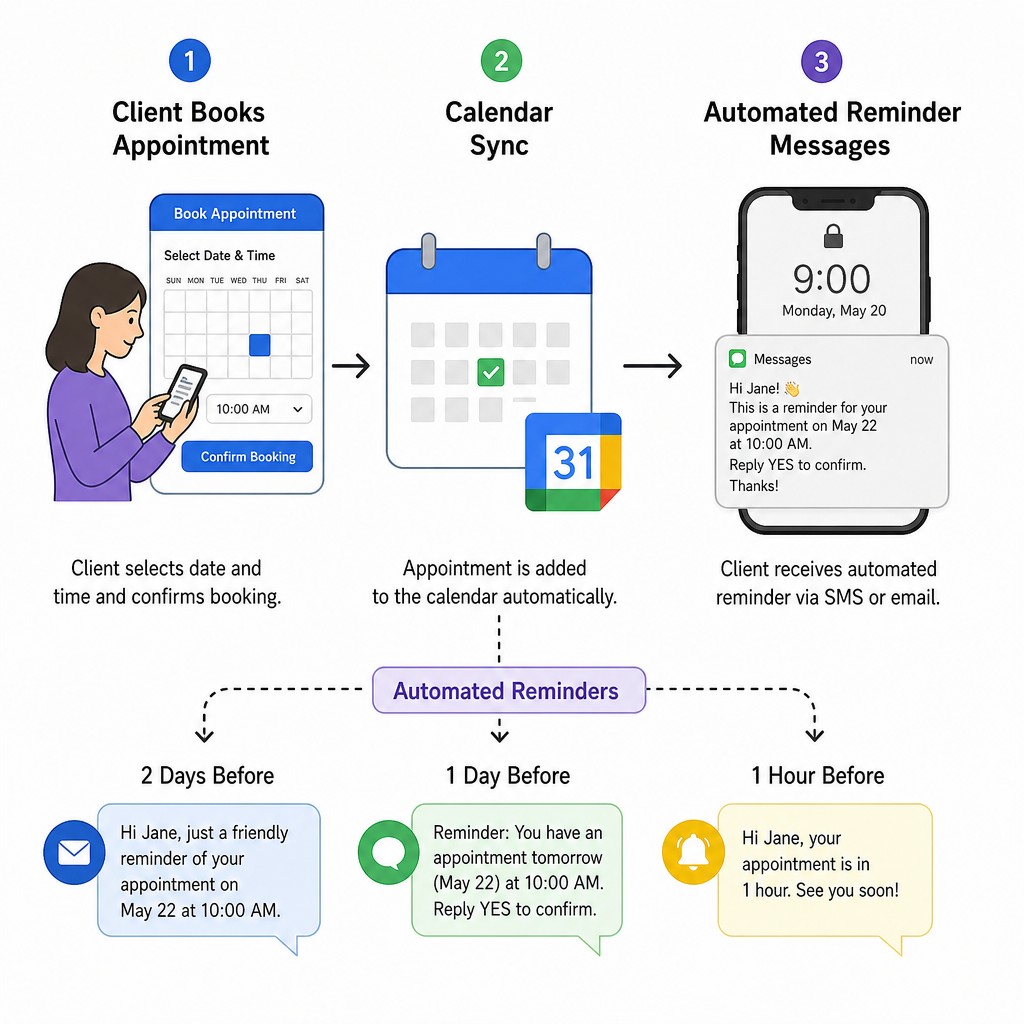
Before choosing software, list the actual steps in your client journey. For example, a client may book a consultation, receive a confirmation email, get a reminder 24 hours before the call, receive a text one hour before, and then get a follow-up message after the session. Your tool should support that flow without extra work.
Look for features such as:
- Calendar integration with the calendar you already use
- Custom booking pages for different coaching services
- Time zone detection for online clients
- Email and text reminder options
- Payment collection if you charge before booking
- Intake forms or pre-session questions
- Group session or class booking if needed
- Easy rescheduling links for clients
Avoid choosing a tool only because it has many features. Too many options can make the process harder to manage. Start with the features you will use every week.
Building reminder messages that feel helpful
Reminder messages should be short, clear, and useful. Clients should be able to read the message quickly and understand what action, if any, they need to take.
A strong reminder usually answers five simple questions:
- What is the appointment?
- When is it happening?
- Where will it take place?
- Does the client need to prepare anything?
- What should the client do if they need to reschedule?
Example email reminder
Subject: Reminder: Your coaching session is tomorrow
Hi [Client Name],
This is a reminder that your coaching session is scheduled for [Date] at [Time]. We will meet here: [Meeting Link or Location].
Before the session, please take a few minutes to review your notes from our last conversation and write down any updates or questions you want to discuss.
If you need to reschedule, you can use this link: [Reschedule Link].
Thank you,
[Coach Name]
Example text reminder
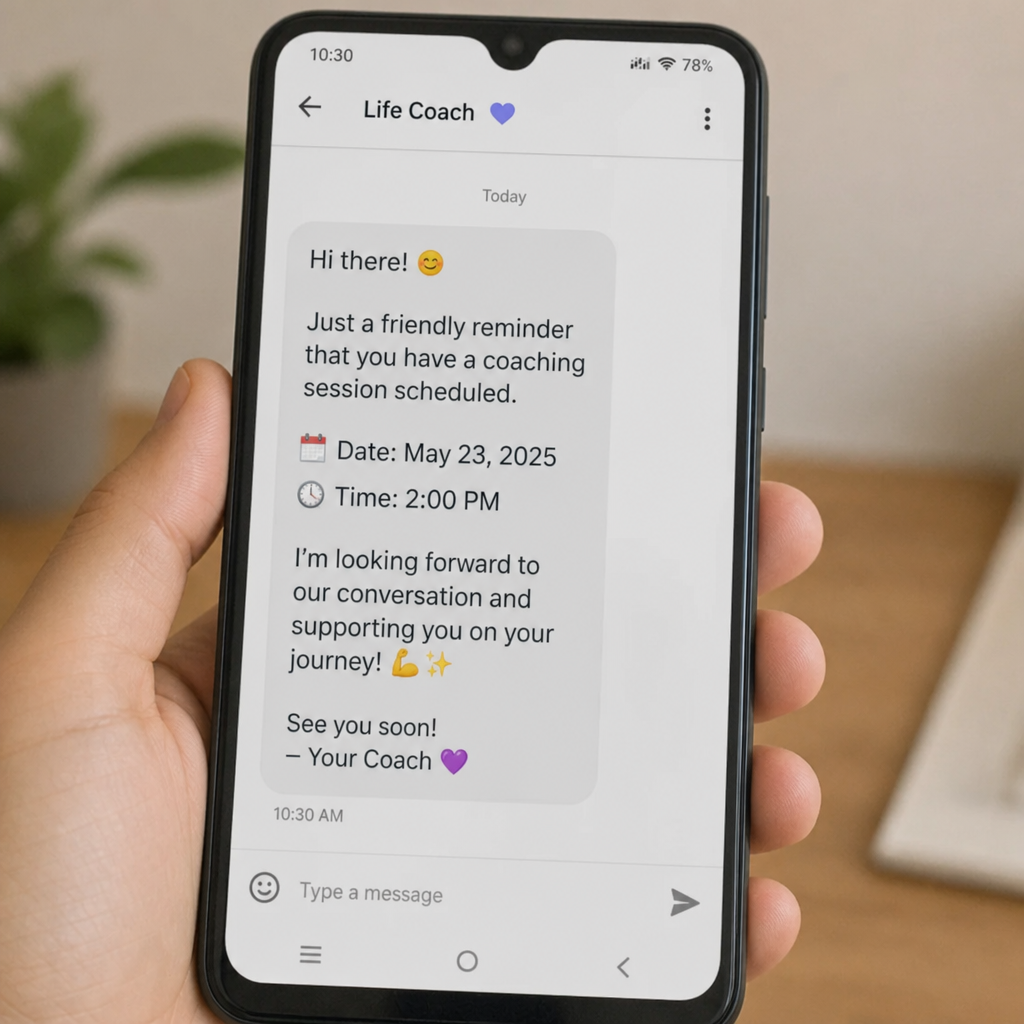
Hi [Client Name], reminder that your coaching session is tomorrow at [Time]. Join here: [Link]. If you need to reschedule, use this link: [Reschedule Link].
The text version should be brief. Save longer instructions for email, a client portal, or a linked document.
Setting the best reminder timing
The best reminder timing depends on your coaching style, session length, and client habits. In most cases, a simple sequence works better than one last-minute reminder.
A practical reminder schedule may look like this:
- At booking: Send a confirmation with the date, time, location, and next steps.
- 48 hours before: Send a preparation reminder if the client needs to complete a form, reflect on goals, or review notes.
- 24 hours before: Send the main appointment reminder with all session details.
- 1 to 2 hours before: Send a short text or email with the meeting link or location.
This timing gives clients enough notice to plan around the session. It also leaves room to reschedule if something has changed.
For paid sessions, check that your reminder timing matches your cancellation or rescheduling policy. If your policy asks for 24 hours’ notice, make sure clients receive a reminder before that window closes.
Personalizing reminders without adding manual work
Automated reminders can still feel personal when they use the right details. Most appointment scheduling tools allow you to add fields such as the client’s name, session type, date, time, location, and coach name.
Personalization does not mean writing a custom message every time. It means making the message relevant to the session. A reminder for a first discovery call may need different instructions than a reminder for an ongoing coaching session.
Useful personalization ideas include:
- Mentioning the session type, such as “career coaching session” or “goal review call”
- Including the correct meeting link for online sessions
- Adding a note about what to prepare
- Sharing a short reflection prompt
- Linking to an intake form for first-time clients
- Including parking or arrival details for in-person sessions
Keep the message focused. A reminder is not the place to explain your whole coaching method. It should help the client show up ready.
Common mistakes to avoid
Automation works best when it is simple and accurate. If the system sends too many messages, uses unclear wording, or includes outdated links, it can create more confusion instead of less.
Avoid these common mistakes:
- Sending too many reminders: Too many alerts may annoy clients. Use only the reminders that serve a clear purpose.
- Using vague subject lines: “Reminder” is less helpful than “Reminder: Coaching session tomorrow at 2 PM.”
- Forgetting time zones: This matters for online coaching, especially with clients in different regions.
- Leaving out rescheduling instructions: Clients should know exactly how to change an appointment.
- Using old links: Test your meeting links and booking links often.
- Making messages too long: A reminder should be easy to scan.
- Ignoring client preferences: Some clients may prefer email, while others respond better to text reminders.
It is also wise to review your automated messages every few months. If your offers, policies, or meeting links change, your reminders should change too.
A simple setup process for coaches
You can build a basic reminder system without changing your entire business. Start with one session type and improve the process after you see how it works.
Follow these steps:
- Choose one appointment scheduling tool. Pick a tool that connects with your calendar and supports automated reminders.
- Create your session types. Add your coaching calls, discovery sessions, group meetings, or check-ins.
- Set your availability. Block personal time, admin time, and days when you do not take calls.
- Connect your calendar. Make sure bookings appear in the right place and prevent double-booking.
- Write your confirmation message. Include the time, location, meeting link, and any first steps.
- Create reminder templates. Set at least one email reminder and one short final reminder.
- Add rescheduling rules. Make your policy clear and include the correct link.
- Test the full process. Book a test appointment and check every email, text, calendar event, and link.
- Ask for feedback. After a few sessions, notice whether clients arrive prepared or still ask basic questions.
Testing is important. A reminder system may look correct inside the software, but the client experience is what matters most.
Keeping automation client-friendly
Good automation should support the coaching relationship, not replace it. Clients still need to feel that a real person is guiding the process. Use clear language, avoid harsh wording, and keep the tone respectful.
A neutral, professional message works well for most coaching businesses. It should sound organized without sounding stiff. If your coaching brand is warm and personal, the reminder can include a friendly sentence. If your brand is more formal, keep the message direct and polished.
Also consider privacy. Do not include sensitive coaching details in a reminder text that could appear on a phone lock screen. For example, a general phrase like “your coaching session” is safer than a detailed note about a private topic.
Final takeaway
Learning how to automate appointment reminders for a coaching business is mainly about creating a clear, repeatable client journey. With the right appointment scheduling tool, thoughtful reminder timing, and simple message templates, coaches can reduce manual admin work and help clients arrive prepared.
Start small. Automate one session type, test the process, and improve it as your coaching business grows. A dependable reminder system gives both coach and client more space to focus on the work that happens during the session. If you want help building automated workflows across your business, explore our business automation solutions and CRM lead management systems.
Frequently Asked Questions
Quick answers to the most common questions about this topic.