How to Automate Lead Follow-Up for Your Coaching Business

Kara Leanne
Scalable Coaching Systems Expert · Updated June 23, 2026
Scalable Coaching Systems builds affordable, done-for-you automation systems for online coaches — so you stop doing robot work and get back to coaching.
Get a Free Funnel Strategy →If you're getting leads but still trying to remember who to follow up with, you're leaving money on the table. Lead follow-up automation helps you respond fast, stay organized, and keep conversations moving—without turning your coaching into a robot-run business.
This guide shows what to automate first, what to keep human, and how to build a simple system you can actually maintain.
What automated lead follow-up looks like
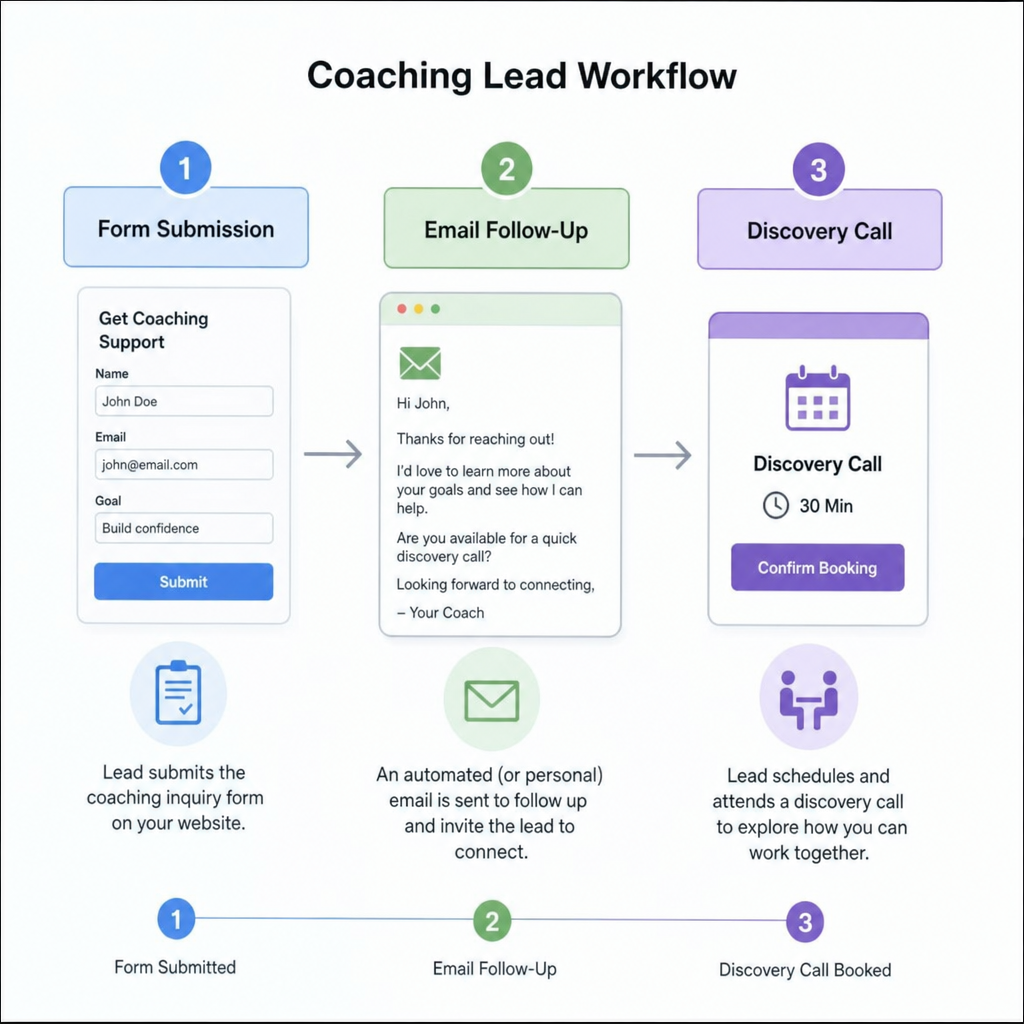
Automated follow-up is a set of rules that reacts to what a lead does. When someone takes an action (like filling out a form), your system sends the right message, creates the right task, or moves them to the right stage.
In practice, lead follow-up automation often includes:
- Instant delivery of a lead magnet or confirmation message
- Short email sequences that educate and invite the next step
- Call confirmations and reminders so fewer people no-show
- Tasks and notifications for moments that need a real person
- Pipeline stages so you can see where each lead stands
The goal is simple: the system handles predictable steps so you can focus on coaching and real conversations.
Why speed matters (and why tone matters too)
Most people reach out to a coach during a moment of motivation. If your reply comes days later, they may lose momentum or talk to someone else.
But speed alone isn't enough. A generic, pushy message can break trust. Your follow-up should feel helpful, clear, and calm.
Great follow-up gives the lead:
- Clarity on what happens next
- Confidence that you're organized and present
- Momentum to take one clear action
Five places to automate first
You don't need a huge system on day one. Start with the steps that happen often and affect sales.
1) New leads (forms, opt-ins, DMs)
When someone downloads a resource or fills out a form, follow-up should happen right away. At minimum, deliver what they asked for. Then guide them to one next step.
A strong first message includes:
- A quick thank-you
- What they just requested (so they're oriented)
- One next action (reply, book, watch, apply)
- Simple expectations (for example: "I review applications within 24 hours")
2) Applications
If your program requires an application, don't let it become a dead end. Automate the basics:
- Confirmation that you received it
- What happens next
- A booking link (if a call is the next step)
- Follow-up if they don't schedule
This is also where lead management software helps. You can track who applied, who booked, and who needs a personal note.
3) Sales calls (booking, reminders, no-show follow-up)
Calls come with lots of small, repeatable messages: confirmation, calendar invites, reminders, and prep instructions. Automate those so you don't waste time doing it manually.
Also automate a no-show follow-up that feels respectful. Example: "No worries—want to reschedule?" plus one link and one option to reply.
4) People who aren't ready yet (lead nurturing automation)
Many coaching leads won't buy right away. They may need time, money, or more trust. Lead nurturing automation keeps you in their world without chasing them.
Keep nurture simple. Send helpful emails that answer real questions and invite a next step. Avoid constant "Are you ready to buy?" messages.
5) Old leads (re-engagement)
Your list likely has people who were interested months ago. A short re-engagement campaign can bring them back. Offer something useful, ask a simple question, or share what's changed.
What should stay human
Automation should run the process. You should run the relationship.
Keep these human whenever possible:
- Thoughtful replies when someone shares something personal
- Fit decisions (the system can collect info, but you decide)
- Sales conversations (listening matters more than scripts)
- High-value follow-up like a personal video or voice note
If a lead replies to an automated email, make sure a real person reads it and responds.
How to prioritize your automations
If you're not sure what to fix first, use this quick method:
- Map your current journey. From first contact to paid client.
- Find the drop-offs. Where do leads get stuck or disappear?
- Start near revenue. Inquiry → booking → attending → deciding.
- Build one workflow. Keep version 1 simple and test it.
- Review monthly. Update emails, links, and timing.
Choosing lead management software (without overcomplicating it)
You don't need the "biggest" tool. You need the tool you will actually use.
When you compare lead management software, look for:
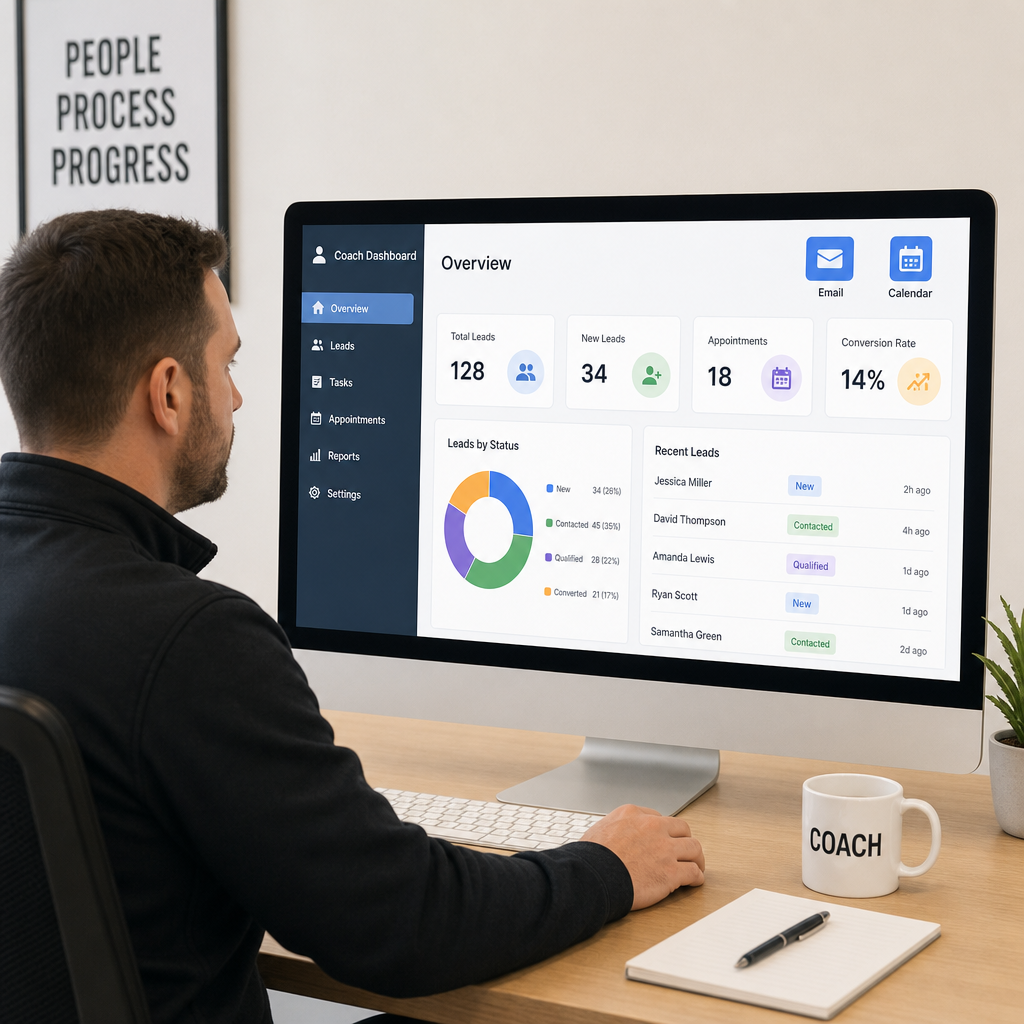
- A pipeline view (stages like New Lead, Booked, No-Show, Nurture, Client)
- Email automation tied to actions (tags, clicks, bookings)
- Calendar integration for confirmations and reminders
- Easy segmentation by goal, offer, and lead source
- Tasks/notifications for human follow-up
- Simple reporting so you can see what's working
If updating your system feels hard, it won't stay accurate. Keep it clean. If you'd rather have a connected lead management and follow-up system built around your coaching business, see our done-for-you CRM and lead management system and our automated email follow-up setup.
How to write automated follow-up that still feels personal
Personal does not mean "hand-typed." It means relevant and respectful.
To make lead follow-up automation sound like you:
- Write like you speak (short sentences, clear ask)
- Refer to the action they took ("You downloaded", "You applied")
- Keep one message = one purpose
- Use gentle language and real boundaries
- Stop sales emails when someone books a call

A simple place to start (the first 48 hours)
If you want the easiest win, automate what happens right after someone becomes a lead. That's when interest is highest.
Here's a starter workflow you can build fast:
- Trigger: Form submit or lead magnet signup.
- Immediate email: Deliver the thing + one next step.
- Internal alert: Send you the lead's details and source.
- Day 1 email: One helpful tip or quick story.
- Day 2 email: Clear invitation (book/apply/reply).
- Branch: If they act, move stages. If not, add to slower nurture.
Common mistakes to avoid
- Too many messages too fast
- Pressure language that doesn't match your brand
- Continuing "book a call" emails after they already booked
- Ignoring replies because "automation is running"
- Letting emails get outdated (old links, old offers, old availability)
How to tell if your follow-up is working
Keep tracking simple. Watch the numbers that tie to your sales process:
- Lead volume by source
- Lead-to-call booking rate
- Call show-up rate
- Replies to nurture emails
- Lead-to-client conversion rate
- Time from inquiry to first response
If booking is low, the next step may not be clear. If no-shows are high, improve reminders and expectations. If people read but never act, make your invitation simpler.
Ready to automate your lead follow-up?
Lead follow-up is only one part of the system behind a scalable coaching business. Get my free Free 6-Figure System Blueprint with the exact funnels and 30+ automations used to turn leads into paying clients, or check out my Funnel Accelerator to build it for your business.
Frequently Asked Questions
Quick answers to the most common questions about this topic.
Automate scheduling, contracts, onboarding, and follow-up so you stop doing robot work and get back to coaching. done-for-you business automation systems.
Related Articles
Hiring a Funnel and Automation Expert for Your Coaching Business: Everything You Need to Know
A strong coaching business needs more than great sessions. Hiring a funnel and automation expert can help connect your strategy, offers, emails, calendars, and client workflows.
AutomationHow to Automate Appointment Reminders for a Coaching Business
Missed appointments cost coaching businesses time, energy, and momentum. Learn how to automate appointment reminders to reduce no-shows and keep clients prepared.
AutomationHow to Automate Client Onboarding for Your Coaching Business
A strong coaching relationship starts before the first session. Learn how to build a client onboarding automation workflow using forms, schedulers, and client portals.